Stop finding outfrom your users
Vigil is an AI-native observability platform: error monitoring where the tool explains the problem, not just reports it. We took the product from name through to a complete web presence and dashboard design: a system that reads your logs, traces, and errors in real time and tells you what broke, why, and how to fix it before your users notice.
Brief
Observability that thinks, not just watches
Most monitoring tools give you noise when you need signal. They tell you something broke, but not why, and not what to do. Vigil closes that gap: an AI layer that reads the full context of an incident and surfaces a clear root cause analysis, not a wall of stack traces to debug at 2am. We defined the product positioning, wrote the web copy, and designed the dashboard and incident detail screens from the ground up.
Positioning
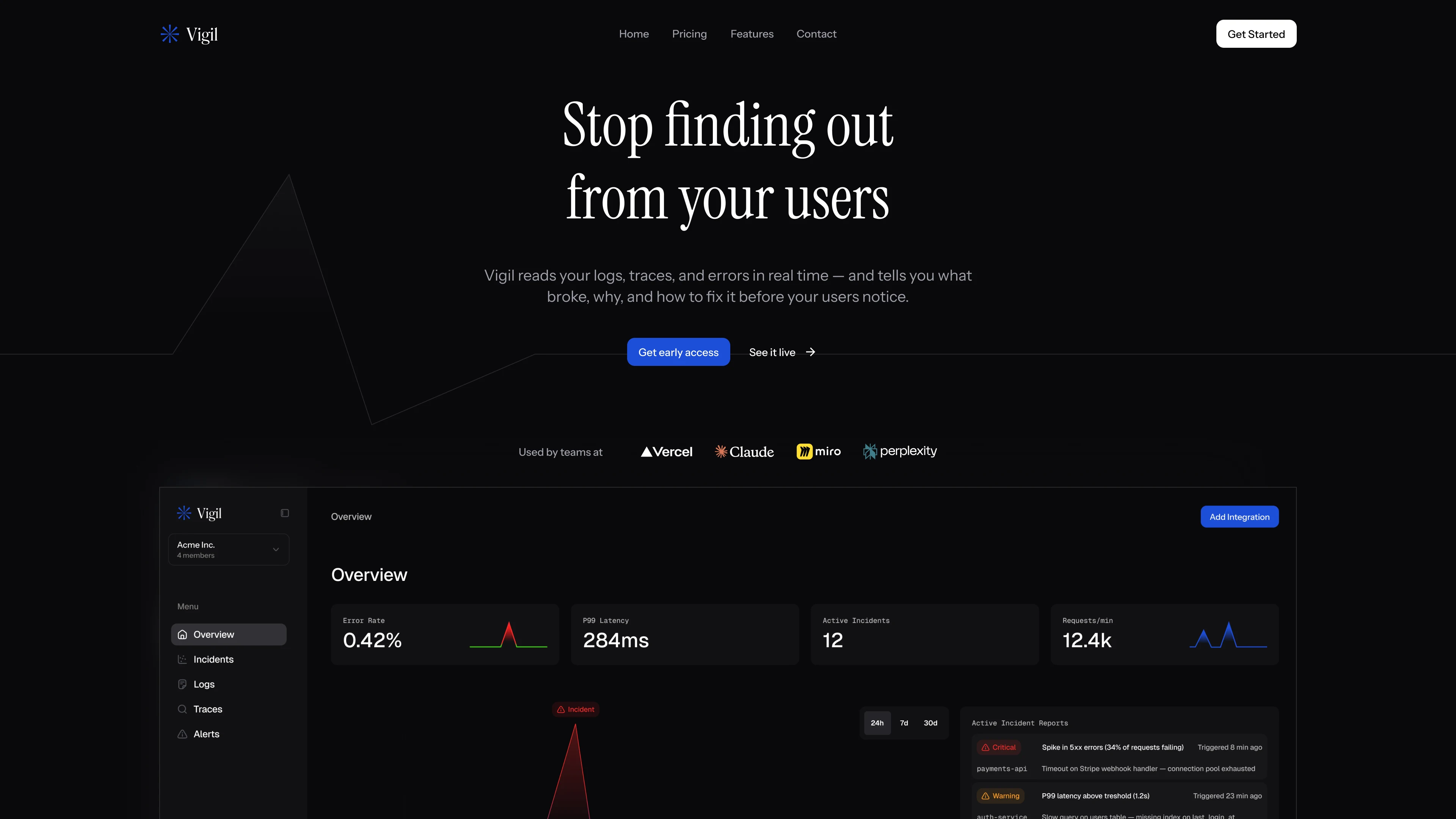
"Stop finding out from your users"
The headline captures the specific shame every engineering team has felt: a customer finds the bug before the monitoring does. We wrote it to land immediately and position Vigil as the tool that closes that gap. The web design matches the product's character: dark, technical, and alert-driven, with a live incident visible on first scroll so the value proposition is shown, not explained.
Incident overview
Error rate, active incidents, service health
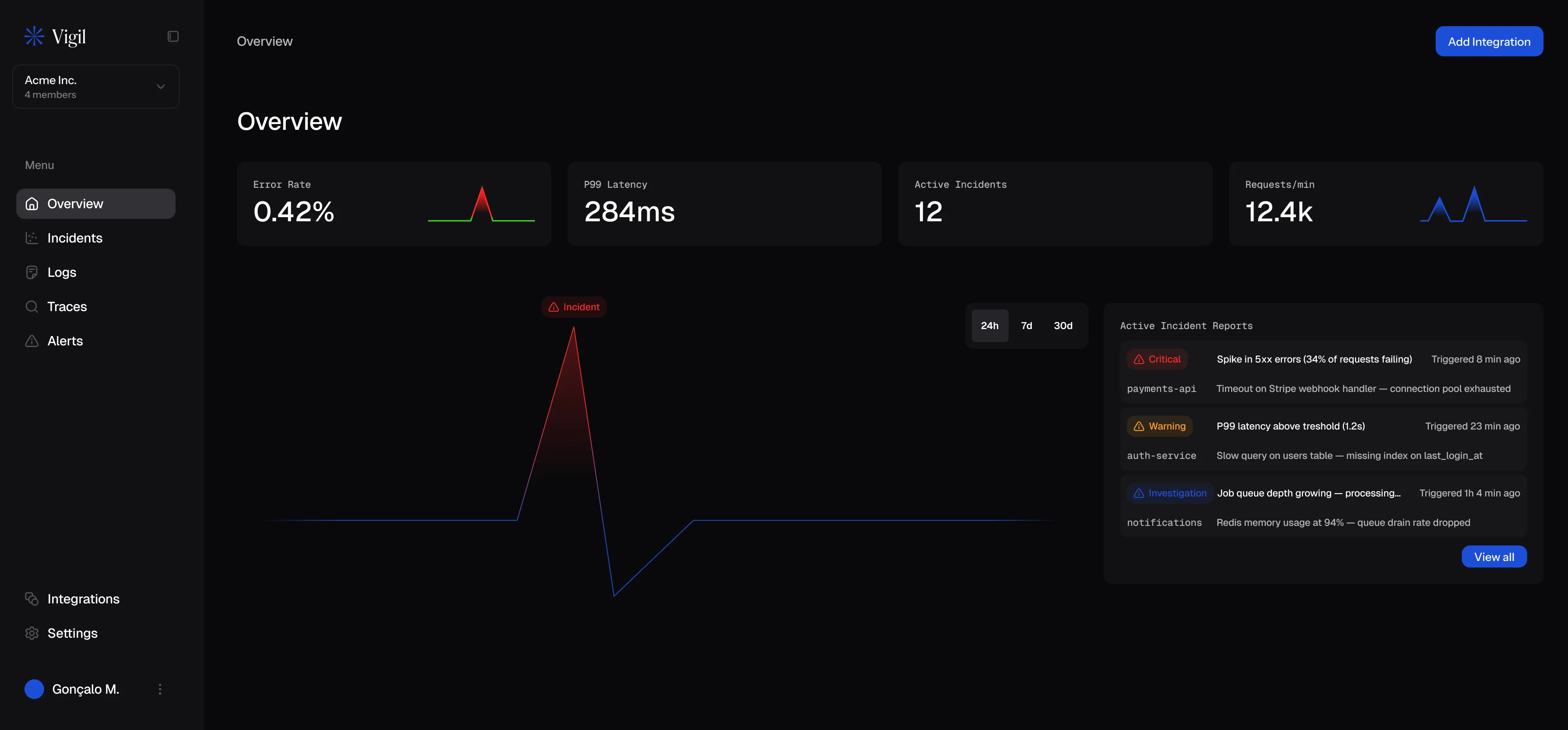
The main dashboard is designed for triage speed. A time-series graph shows error rate across the last 24 hours, and a flat line interrupted by a spike is the story every on-call engineer dreads. Active incidents list below, each with an AI-generated severity score and a one-line summary of the likely cause. Service health cards at the bottom give a system-wide read at a glance. Nothing is buried; everything surfaces the moment it matters.
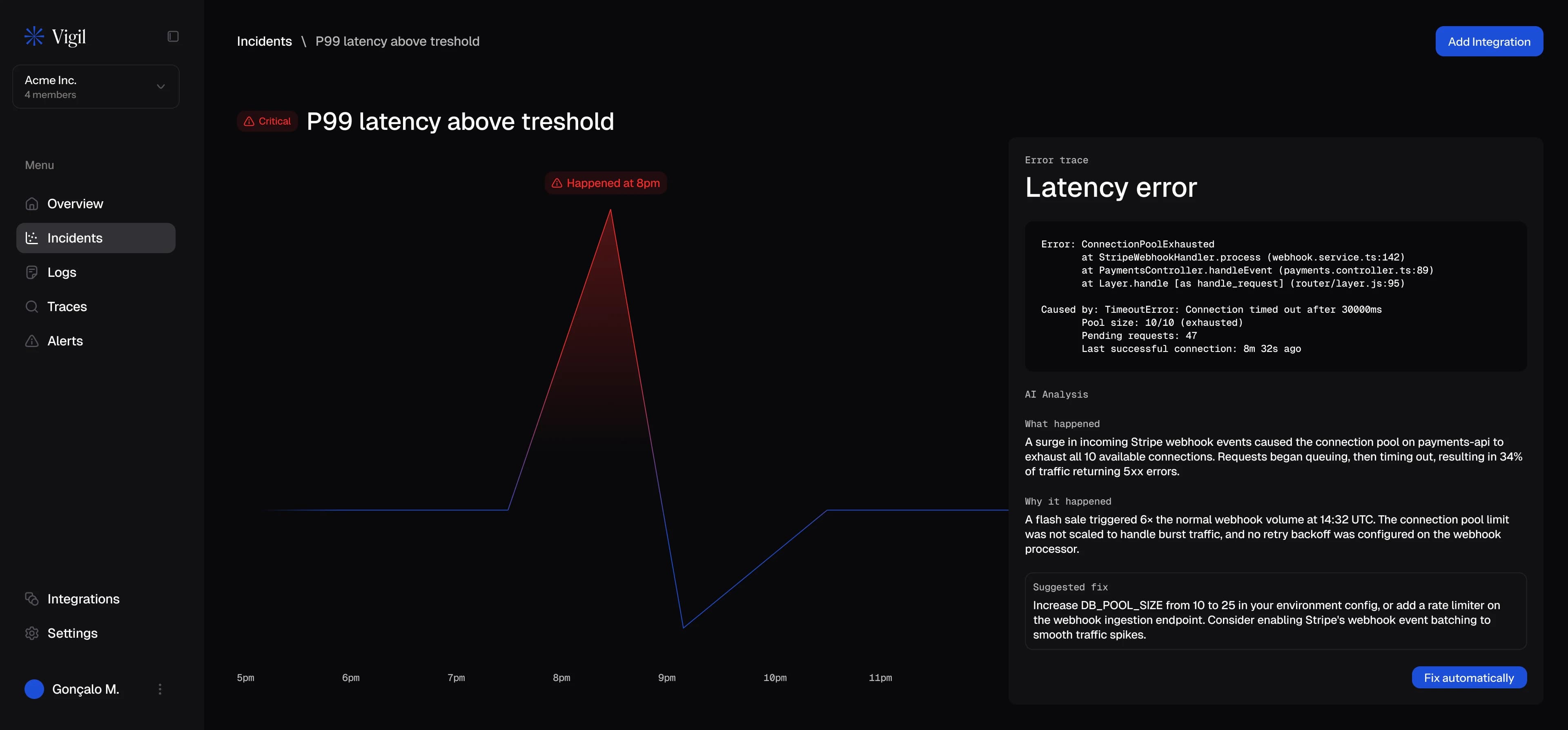
AI root cause analysis
What happened, why, and how to fix it
The incident detail screen is where Vigil earns its value. Instead of a raw log dump, the AI surfaces a structured three-part analysis: what happened, why it happened, and what to do about it, specific rather than generic. The error trace sits below for engineers who want the full context. We designed this screen to be useful in the worst moment: the one where production is down and the on-call engineer needs an answer in seconds, not after reading 400 log lines.